In this article 4
Since 28 June 2025, the European Accessibility Act (EAA) has applied across the European Union. Many companies ask us two questions: does it apply to us, and what exactly does our website need to do? This article sets out the main points and describes how to work towards WCAG 2.2 AA in practice.
An important caveat first: this is not legal advice. Whether the rules apply to you depends on what you sell, to whom and how. If in doubt, consult a lawyer or the guidance published by the supervisory authority in your country.
What the European Accessibility Act covers
The EAA (Directive (EU) 2019/882) sets the same accessibility requirements for certain products and services in every member state. Each country has transposed it into national law: Germany through the Barrierefreiheitsstärkungsgesetz (BFSG), the Netherlands through an implementation act that amends several existing laws, and Belgium mainly through its Code of Economic Law. Supervision is national as well, for example by the MLBF in Germany, the ACM in the Netherlands and the FPS Economy in Belgium.
The directive applies to specific services provided to consumers. For websites, these are the most relevant:
- E-commerce services: websites and apps through which consumers conclude a contract at a distance, such as online shops and online booking or ordering systems
- Consumer banking services
- E-books and the software used to read them
- Electronic communications services and access to audiovisual media services
- Parts of passenger transport services, such as websites, apps, e-tickets and travel information
The key word is consumer. A website that only provides information, or a company that sells exclusively to other businesses, is in many cases outside the scope of the EAA. As soon as consumers can buy, book or sign up for something through your site, the rules are likely to apply.
Who is exempt or less affected
Micro-enterprises that provide services are exempt from the requirements for services. A micro-enterprise employs fewer than ten people and has an annual turnover or balance sheet total of no more than 2 million euros. This exemption does not apply to products: a small company that places devices on the market, for example, must still meet the requirements for those products.
The directive also contains transitional rules and exceptions. Service contracts concluded before 28 June 2025 may continue unchanged until they expire, but no later than 28 June 2030. Several types of content fall outside the requirements, such as pre-recorded video and office documents published before 28 June 2025, archives that are no longer updated, and third-party content you do not control. You can also invoke a disproportionate burden, but only on the basis of a documented assessment that you review periodically.
If you fall outside the EAA, accessibility remains relevant. Public bodies have long had their own accessibility rules and can require them from their suppliers, and business clients sometimes include WCAG in their tender requirements. An accessible site is also simply easier to use: for older visitors, for someone with a broken arm and for anyone reading a phone outdoors in bright sunlight.
WCAG 2.2 AA in practice
The EAA describes functional requirements; the technical detail is in the European standard EN 301 549, which refers to WCAG 2.1 level AA for websites. WCAG 2.2 has been the current version since October 2023 and is backwards compatible: content that meets 2.2 AA also meets 2.1 AA. It therefore makes sense to build to 2.2 AA from the start. In practice it comes down to these points:
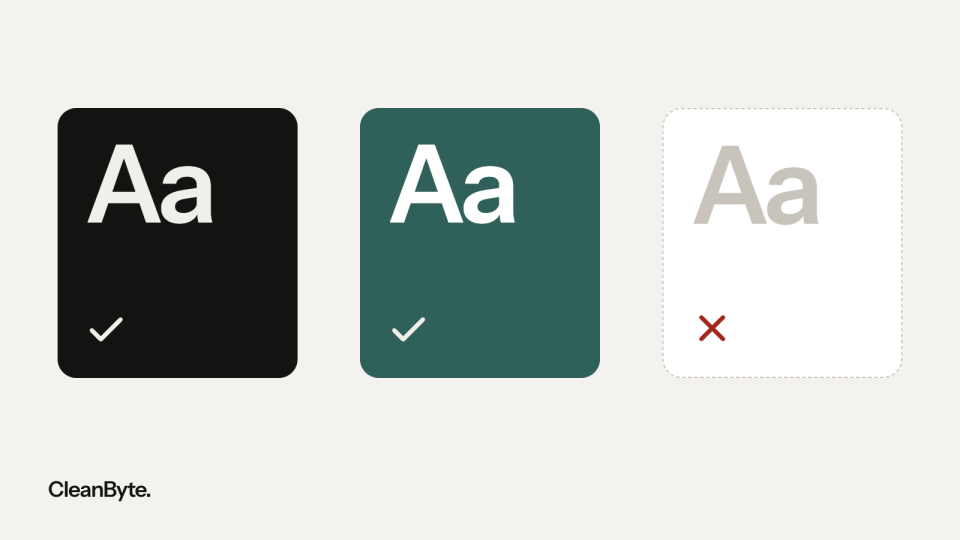
- A contrast ratio of at least 4.5:1 for normal text and 3:1 for large text, buttons, form fields and icons.
- Everything works with a keyboard, with a clearly visible focus indicator that is not hidden behind a sticky header or cookie banner (new in 2.2).
- Click and tap targets of at least 24 by 24 CSS pixels, or enough space around them (new in 2.2).
- An alternative to every dragging movement, such as buttons next to a slider (new in 2.2).
- Forms with visible labels, error messages in text and no requests for information the visitor has already entered (new in 2.2).
- Logging in without a memory test: pasting and password managers must work (new in 2.2).
- Help, such as contact details or a chat button, appears in the same place on every page (new in 2.2).
- Alt text for informative images, a logical heading structure, captions for video and content that remains usable at 200% zoom and on narrow screens.
On business websites we see the same issues again and again: a cookie banner that cannot be closed with the keyboard, a carousel that advances on its own, icon buttons without an accessible name, placeholders instead of labels, a CAPTCHA without an alternative and important information that is only available in a PDF.
A five-step approach
- Determine whether the EAA applies to you: do you sell to consumers, and are you not a micro-enterprise? Record your reasoning.
- Map the key journeys: finding a service or product, requesting a quote, ordering or booking, logging in and getting in touch.
- Test those journeys. Automated tools such as axe, WAVE and Lighthouse find some of the issues; you find the rest by testing manually with only a keyboard, with a screen reader (NVDA on Windows, VoiceOver on Mac and iPhone) and at 200% and 400% zoom.
- Fix the blockers in those journeys first, then the templates that appear on every page (navigation, footer, forms), and only then individual content such as alt text and PDFs.
- The EAA requires service providers to explain how their service meets the requirements. Publish that information, for example in an accessibility statement with a way to report problems, and keep it up to date: train editors and test new features before they go live.
Be cautious with so-called accessibility overlays: widgets that promise to make your site accessible with a single line of code. They do not fix the underlying problems in the code and can even get in the way of assistive technology such as screen readers. Accessibility lives in how a site is built, not in a layer on top.
We build websites to WCAG 2.2 AA from the design stage: contrast and focus are part of the design system, components are tested with a keyboard and a screen reader, and editors get fields for alt text and headings. Once again: this article is not legal advice. For your specific situation, consult a lawyer or the guidance of the supervisory authority in your country.
Last updated