In this article 4
A slow website rarely loses you a client in one go; it does so gradually. A buyer comparing three suppliers on a phone between meetings will not wait for a page that keeps loading. Google also uses the Core Web Vitals as one of its page experience signals. Speed is therefore not a technical detail but part of how your company comes across.
This article explains how to find out where the problem lies, which causes we come across most often in practice and in which order to tackle them. There is no single setting that fixes everything, but there is a reliable approach.
Measure first: the three numbers that matter
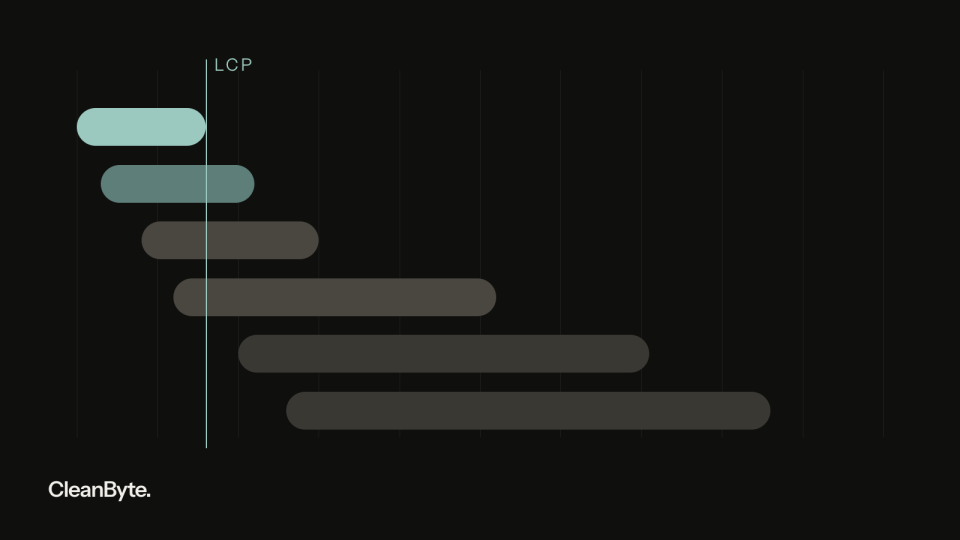
Google assesses speed with three Core Web Vitals. Largest Contentful Paint (LCP) measures when the largest visible element has loaded, usually an image or a heading; good is 2.5 seconds or less. Interaction to Next Paint (INP) measures how quickly the page responds to clicks and taps; good is 200 milliseconds or less. INP replaced the older First Input Delay in March 2024. Cumulative Layout Shift (CLS) measures how much the content jumps around while loading; good is 0.1 or less. Google looks at the 75th percentile of real visits: three out of four visits need to stay within the threshold.
Note the difference between field data and lab data. At the top, PageSpeed Insights shows field data from real Chrome users over the previous 28 days, but only if your site has enough traffic. Below that is a Lighthouse test: a simulated run on a mid-range phone with a throttled connection. Many business websites have too little traffic for field data. In that case the lab results and the Core Web Vitals report in Google Search Console are your main sources. This is how to take a baseline in half an hour:
- Choose the five pages that matter most to your revenue: the homepage, your main service page, a case study, the contact page and the landing page of your ads.
- Test each page in PageSpeed Insights on mobile and note LCP, INP (Total Blocking Time in the lab test) and CLS.
- Check which element the report identifies as the LCP element. It is often a large image or slider at the top.
- Open the Core Web Vitals report in Search Console and see which groups of URLs are marked ‘Poor’ or ‘Needs improvement’.
- Record the numbers with the date. Without a baseline you will not know later whether a change made any difference.
The causes we see most often
A slow server. Before the browser can show anything, the server has to build the page. On cheap shared hosting, without a page cache and with dozens of database queries per request, that alone can take up much of the available time. You can see this as a high Time to First Byte (TTFB); Google recommends 0.8 seconds or less. If most of your visitors are in Europe, a server in a European data centre close to them is the obvious choice. It reduces distance and also makes your GDPR assessment simpler.
Images that are too heavy. A photo of several megabytes displayed 400 pixels wide on a phone is still the most common cause of a poor LCP. Other classics: no modern formats such as WebP or AVIF, a single file size for every screen, and lazy loading on the main image at the top, which makes the browser fetch it later rather than sooner. If width and height are missing from the HTML, the page shifts as soon as the image arrives and your CLS goes up.
Too much JavaScript and too many third-party scripts. Sliders, page builders, chat widgets, A/B testing tools, embedded videos and a tag manager full of old tags: every script has to be downloaded and executed. While the browser is busy with that, the page responds slowly to input. This is the main cause of poor INP. Often nobody remembers why a particular script is there. A cookie banner can also become a brake if it loads a lot of code itself.
Fonts from external servers. Three font families in five weights, loaded from an external service, delay the first render and make text jump. Self-hosting your fonts, limiting them to the characters and weights you actually use and preloading the main one saves time. A side benefit: your visitors' IP addresses are not passed to a third party.
What to tackle first
Not every improvement pays off equally. We usually work in this order, because each step makes the next one easier:
- Server and caching: a page cache where possible, OPcache for PHP, Brotli or gzip compression, HTTP/2 or HTTP/3 and, if needed, a CDN.
- The LCP element: the right dimensions, a modern format, several sizes via srcset, a high loading priority via fetchpriority and never lazy loading for this image.
- Reserve space: width and height on every image, a fixed aspect ratio for videos and maps, and no bars that push the content down after loading.
- Prune JavaScript: remove unused scripts, defer the rest and load heavy parts such as chat and video only after a click.
- Fonts: self-host, limit them to two weights and use font-display, so text is visible straight away.
A common example among service companies: the homepage opens with a slider of five large photos, a chat widget is running and the tag manager loads scripts from campaigns that ended years ago. One well-compressed main image instead of the slider, a chat button that loads its script only on click and a cleaned-up tag manager change little visually, but remove much of the work the browser has to do.
Staying fast: speed is maintenance
A website rarely becomes slow overnight. It happens gradually: a new video on the homepage, an extra tracking tag for a campaign, a plugin for a single form. Agree on a performance budget, for example a maximum page weight, a maximum amount of JavaScript and an LCP under 2.5 seconds on mobile, and check every change against it. Put this budget in the brief for your web developer, so it is an agreement rather than an intention.
- Retest the same five pages every quarter and compare the numbers with your baseline.
- Review your tag manager twice a year and remove tags nobody uses any more.
- Have your CMS resize and convert uploaded images automatically, so editors do not have to think about it.
- Keep the framework, packages and server software up to date; newer versions are often faster as well.
- Check the Search Console report after every major change.
When is optimising no longer enough? When most of the JavaScript comes from a theme or page builder you cannot remove, when every improvement breaks something else, or when you cannot choose your own hosting. A new, lighter build is then often cheaper than continuing to patch. In all other cases: measure first, then improve in this order.
Would you like a first impression of your own site? The speed check on our homepage measures your homepage on mobile and shows the key figures within a minute. For a full analysis, we review your most important pages and the build behind them during an intake.
Last updated